
Tag Management
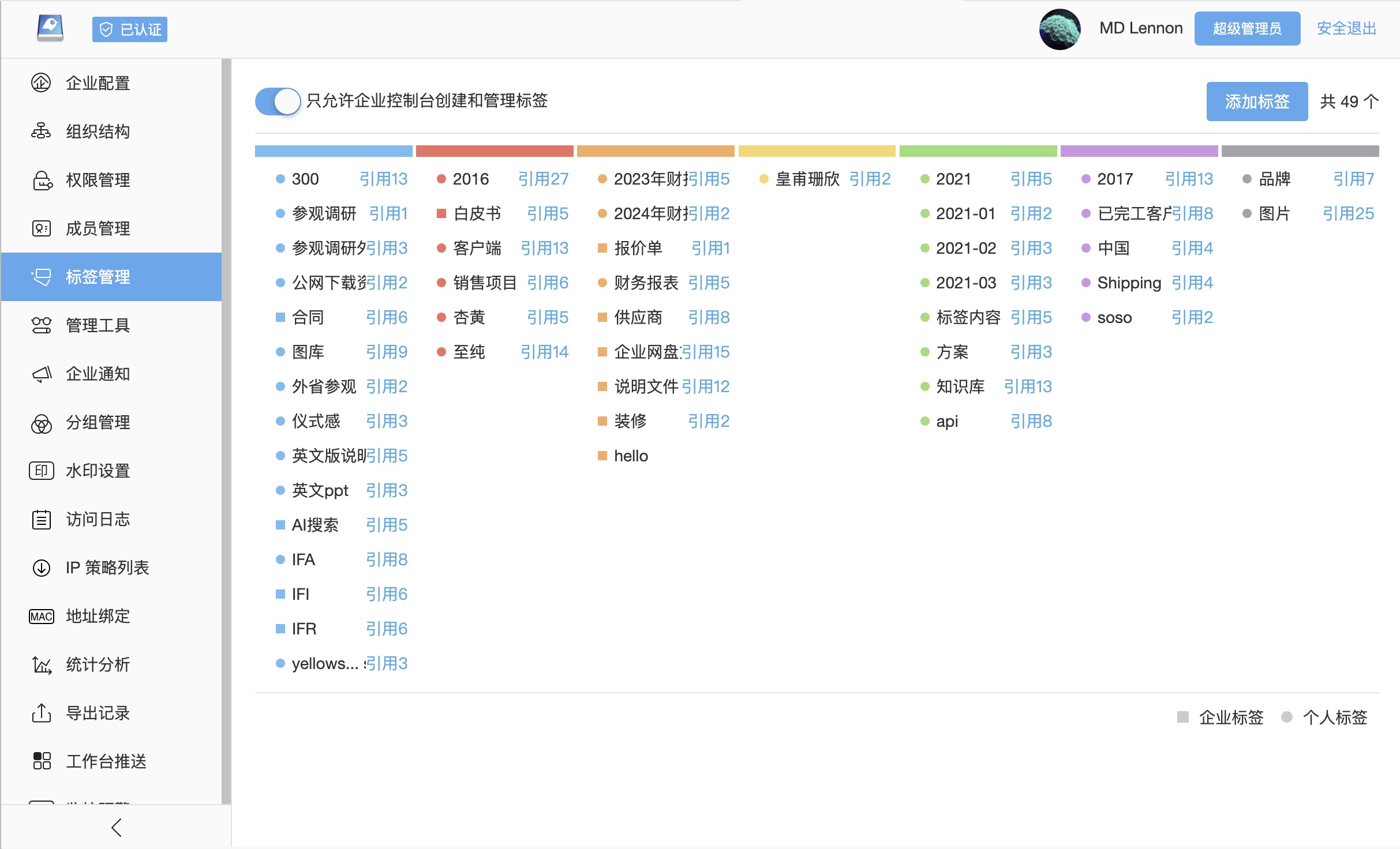
Tags add business meaning beyond the folder hierarchy. Compared with folder-only classification, tags are better for cross-cutting dimensions such as customer, project stage, document type, confidentiality level, product line, region, usage, owner or material attributes, making files easier to find through search, filtering, material libraries and AI retrieval.
Tag Types
| Type | Scenario | Management |
|---|---|---|
| Enterprise tags | Standard business classification, material categories, auxiliary security labels | Maintained by administrators in the enterprise console |
| User tags | Personal work labels, temporary filters, personal follow-up markers | Maintained by users from the file list or file details where permitted |
| AI-assisted tags | Match images, documents or materials to the closest tags in the tag library | Used with Zhichao AI and the enterprise tag library |
File Tags
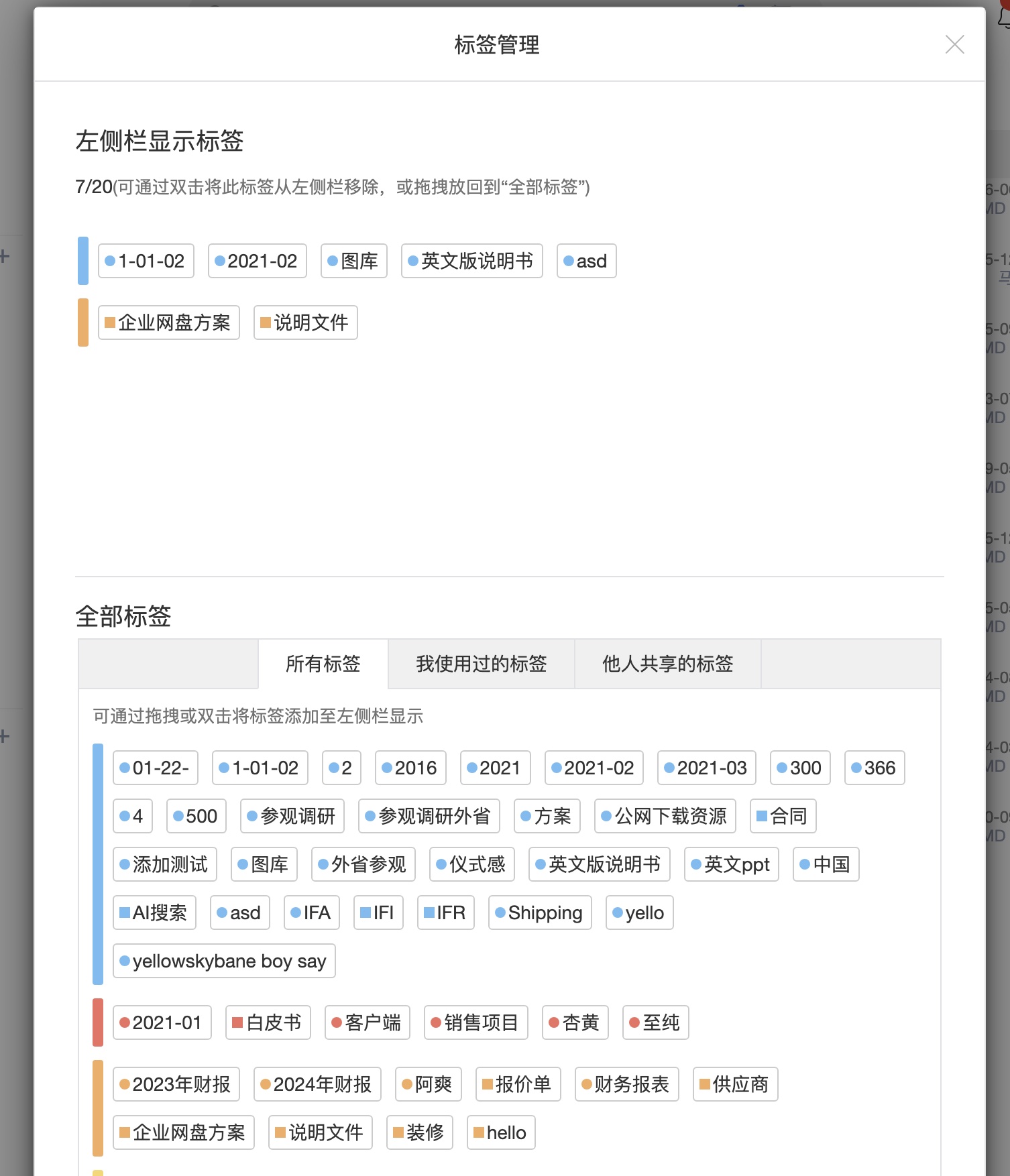
Users can add tags from the file list, standard list, file details or related menu entries. Tags are useful for dimensions that folders cannot express. For example, a design file may simultaneously be “brand material”, “2026 spring campaign”, “external use allowed” and “final”.
Search And Filtering
Tags participate in file retrieval and advanced search. Common usage includes:
- Filter inside a folder by tag to narrow the result set.
- Combine file name, full text, description, tag and file type in global search.
- Filter images and materials in the material library by use, customer, product line or authorization scope.
- Find project files by phase, delivery status, specialty or owner.
- Reduce manual tagging work by combining tags with AI-assisted tagging.
Tag Governance
More tags do not always mean better retrieval. Enterprises should define core tag categories first and restrict creation of shared tags to administrators or document managers to avoid synonyms, typos and noisy labels.
Recommended governance:
- Define categories such as document type, business status, customer type, product line, region, auxiliary confidentiality and material usage.
- Enable centralized tag creation where tags must be managed only in the enterprise console.
- Create separate tag standards for material libraries, project repositories and archives.
- Regularly clean duplicate, deprecated and unused tags.
- Improve the vocabulary using search logs, AI search questions and user feedback.
Relationship With Permissions
Tags do not expand access. Whether a user can see a tagged file is still determined by department roles, project permissions, file access control, sharing permissions and security policies. Tag search should only return files the user is allowed to access.