
Third-Party SSO Login
BabelBird private deployment can connect to Enterprise WeChat, DingTalk, Feishu, OA, ADFS and other identity systems for single sign-on, QR-code login, mobile authorization login and organization synchronization. SSO is not a single interface; it consists of third-party authorization login and third-party organization synchronization.
Login And Organization Sync
Multiple authorization login sources can be configured, such as Enterprise WeChat QR login, DingTalk QR login and OA account login at the same time. Organization synchronization should normally use one authoritative source to avoid account conflicts caused by multiple systems writing members and departments. Login sources should share a consistent unique user identifier.
Enterprise WeChat
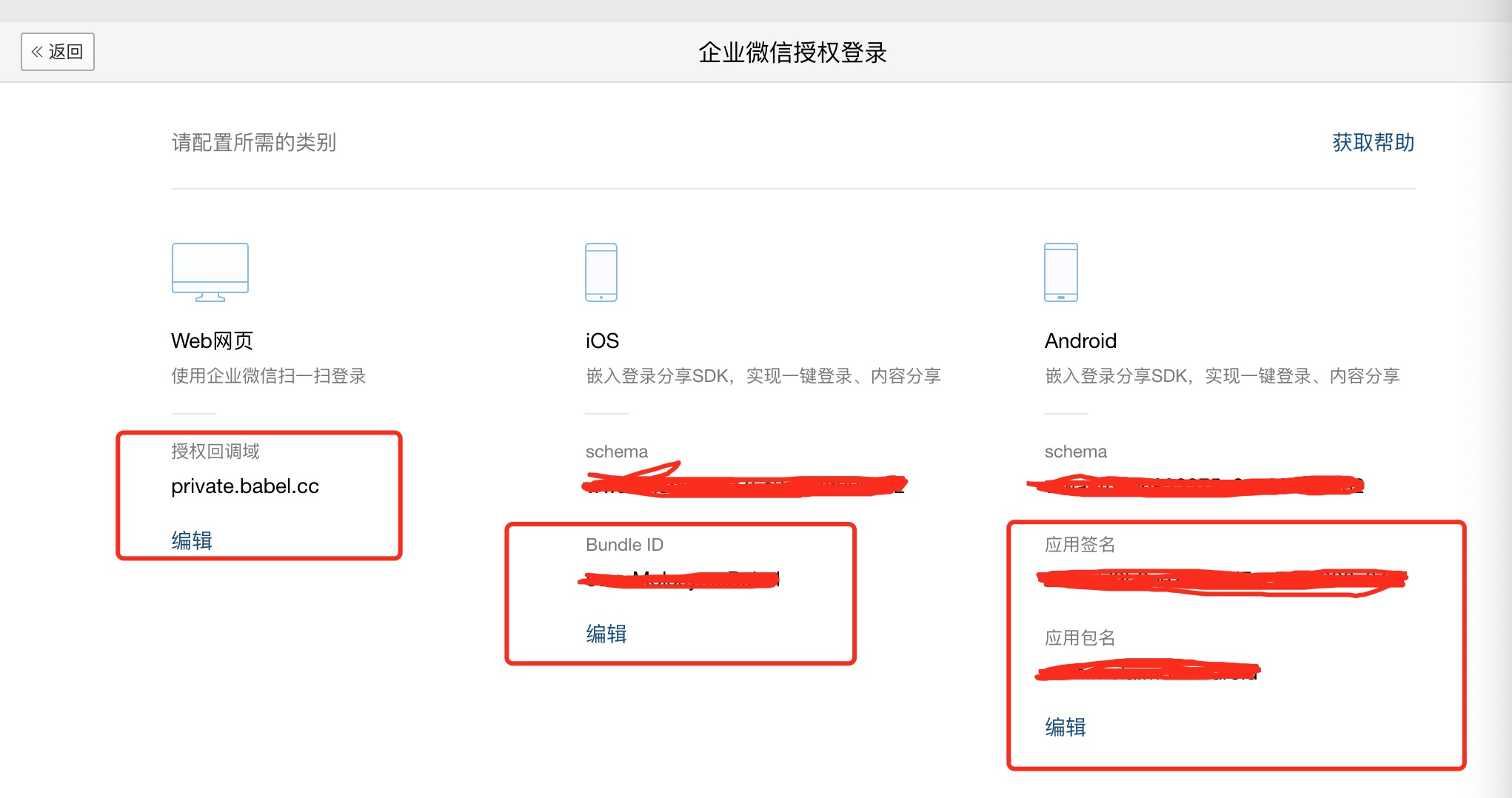
Enterprise WeChat integration usually requires the enterprise CorpId, internal application AgentId, Secret, trusted domain, OAuth callback URL, authorization login settings, and mobile Bundle ID, Android signature and package name.
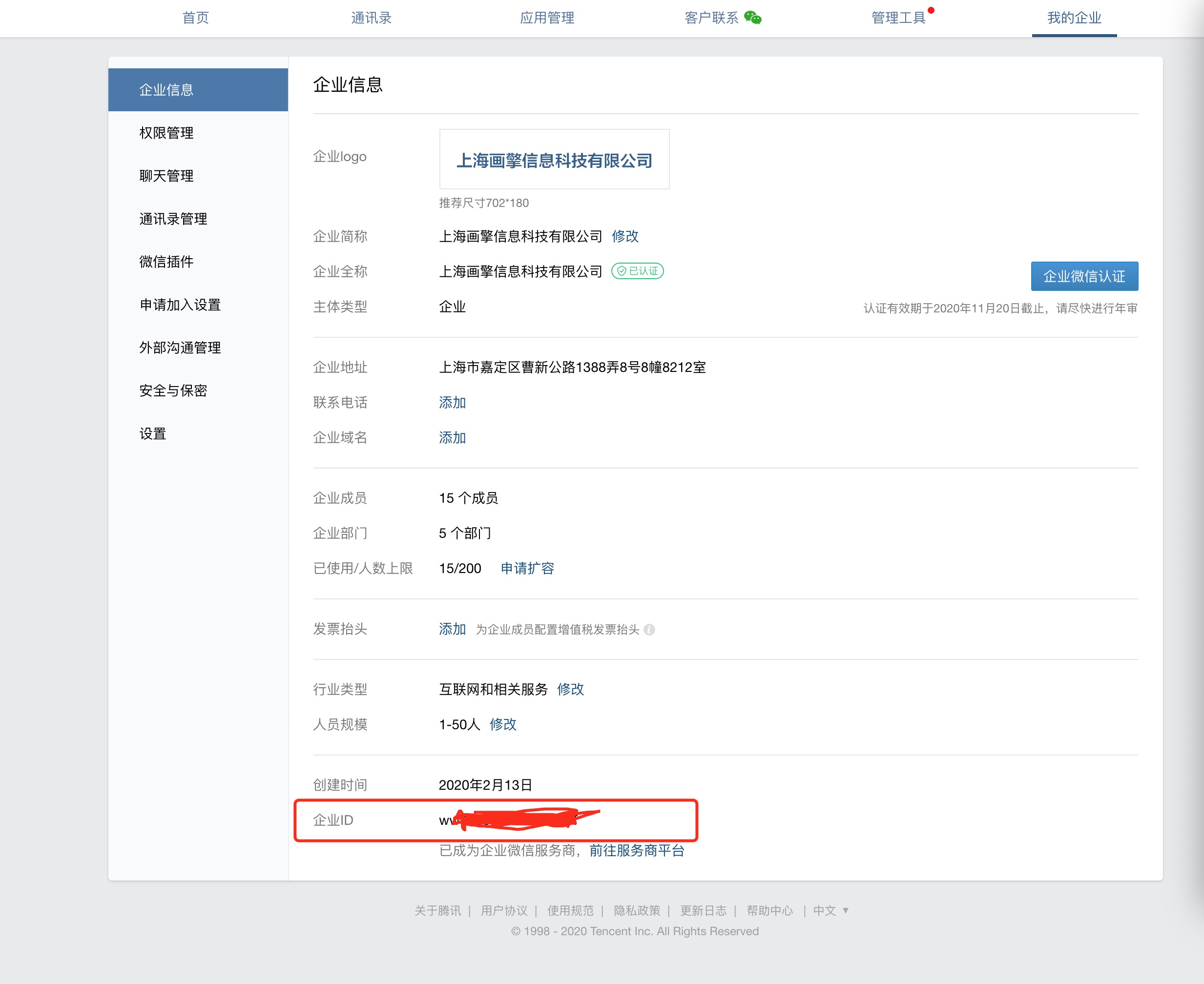
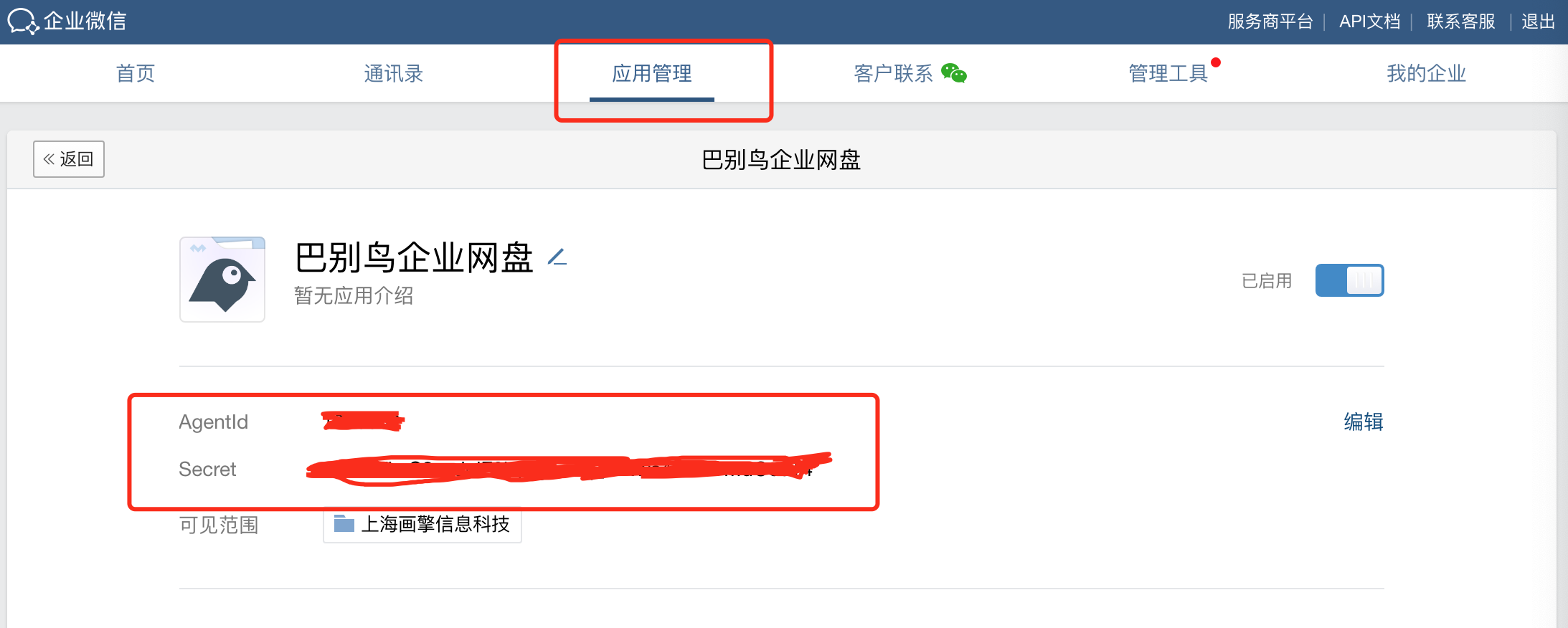
Core configuration:
- Create an internal Enterprise WeChat app and obtain
CorpId,AgentIdandSecret. - Configure the workbench app home page and replace
appidand the private deployment domain in the OAuth URL. - Configure the trusted domain under Web Authorization and JS-SDK and complete domain verification.
- Configure the Web callback domain under Enterprise WeChat authorization login.
- Configure iOS Bundle ID, Android app signature, package name and schema where mobile login is required.
DingTalk
DingTalk integration normally includes an H5 micro-app and QR-code login. The H5 micro-app is used to access BabelBird from the DingTalk workbench; QR-code login is used for browser authorization.
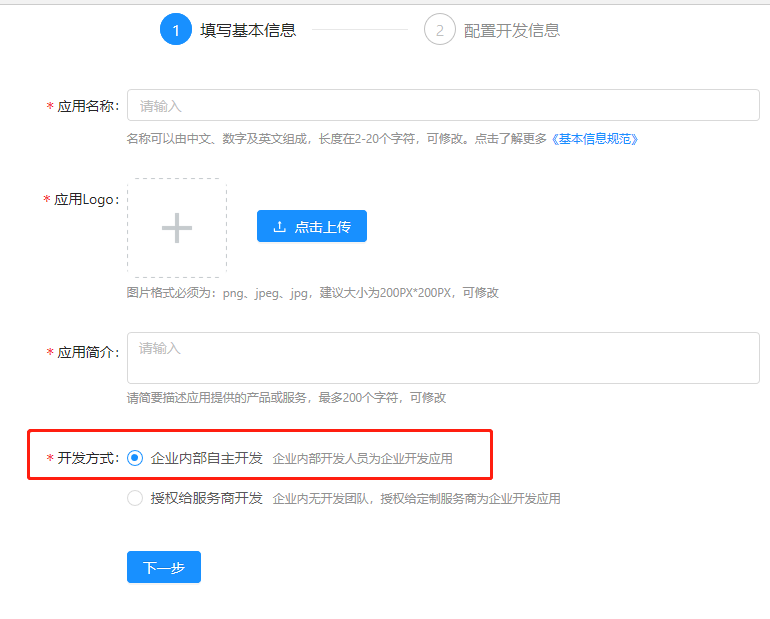
Configuration points:
- Log in to DingTalk admin and open platforms as an administrator.
- Create an enterprise H5 micro-app and set the app home URL to the BabelBird private deployment address.
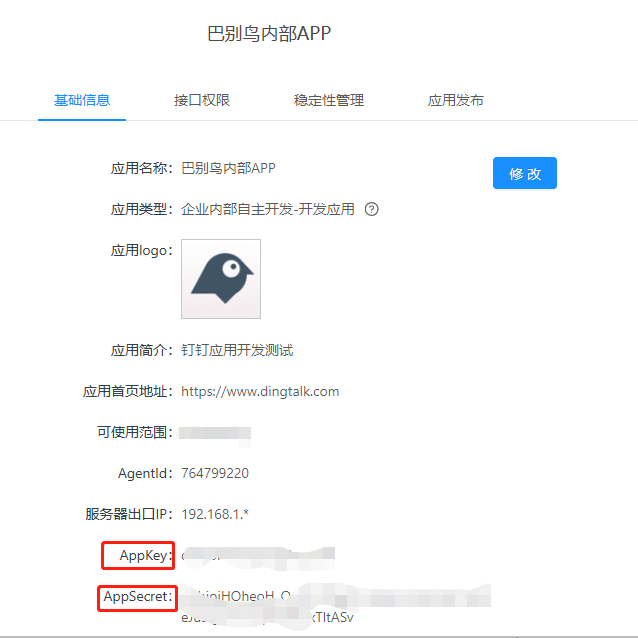
- The server outbound IP must match the deployment environment; otherwise some DingTalk APIs may not work.
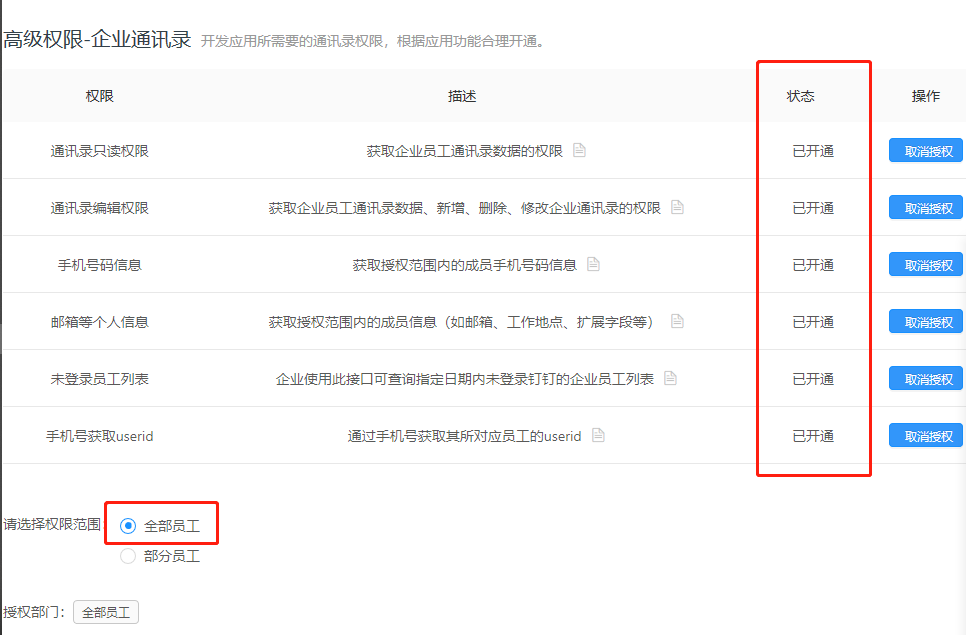
- Enable enterprise address book permissions to connect accounts and organization structure.
- Obtain
CorpId,AppKeyandAppSecretand provide them for BabelBird configuration. - For QR-code login, create a scan-login authorization app under Mobile App Access > Login and obtain
appIdandappSecret.
Feishu
Feishu integration usually requires creating an enterprise custom app, obtaining APP ID and APP Secret, and configuring web entry, OAuth redirect URL, mobile login, security settings, IP whitelist, H5 trusted domain and address book permissions.


Key steps:
- Create an enterprise custom app and obtain credentials.
- Configure web entry and OAuth redirect URLs using the enterprise's BabelBird domain.
- Enable bot capability and message permissions if notifications are required.
- Configure iOS Bundle ID and Android app information for mobile authorization login.
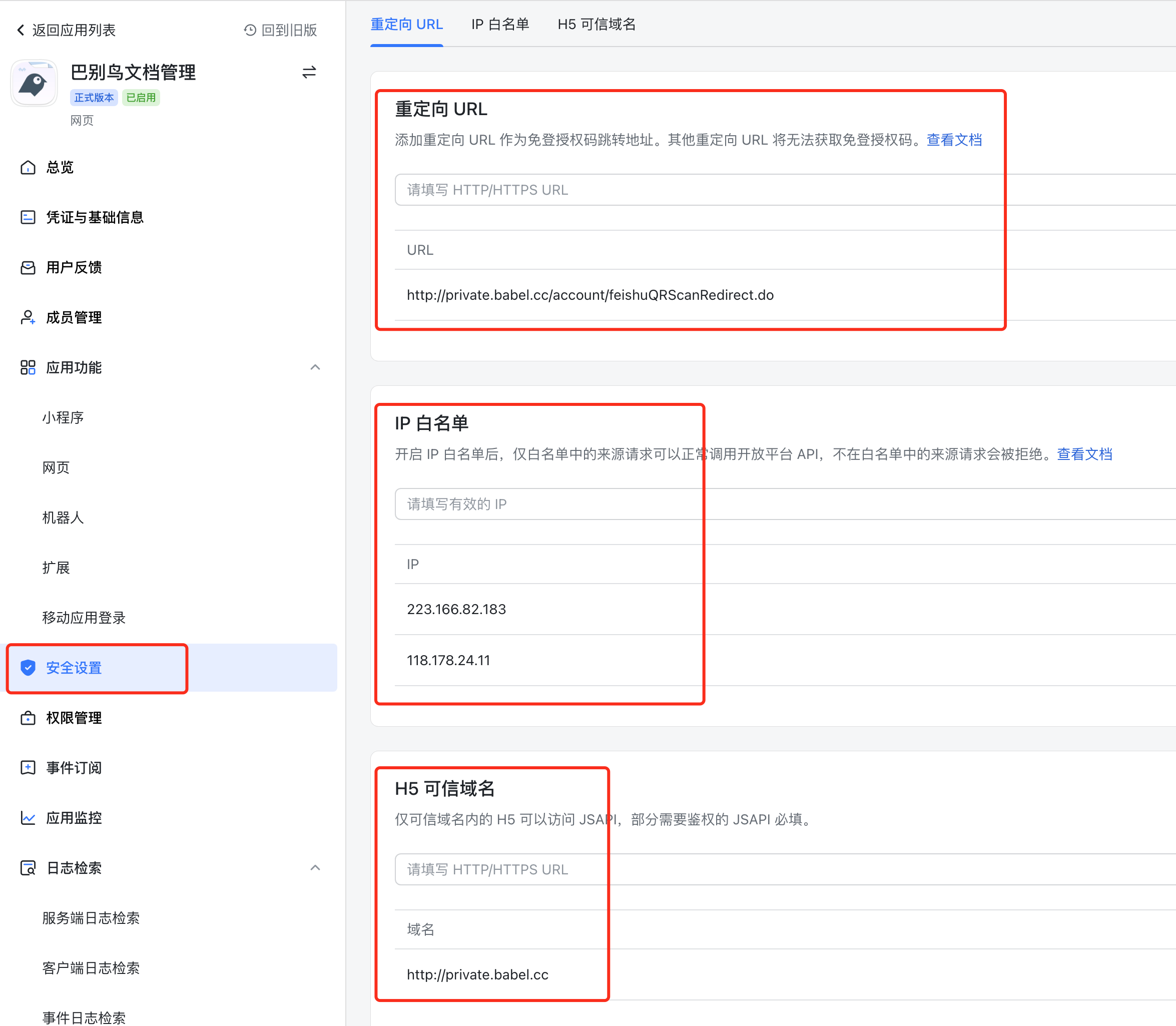
- Configure redirect URL, IP whitelist and H5 trusted domain in security settings.
- Enable required permissions for departments, users, phone numbers, email and messaging.
- Create a version, submit it for review and publish the app.
Deployment Checklist
| Check | Description |
|---|---|
| Dedicated domain | Confirm http/https, domain and callback URL are exactly aligned |
| Unique user identifier | Multiple login sources should share a consistent userId, mobile, email or employee-number mapping |
| Organization sync source | Usually use only one organization source to avoid member and department conflicts |
| Callback URL | OAuth callbacks must match both third-party console and BabelBird configuration |
| Mobile information | iOS Bundle ID, Android package name and signature must match the actual app |
| Permission scope | Request only permissions needed for login, address book sync and notifications |
| Audit and security | Test login, offboarding, department changes, permission inheritance and logs after integration |
Relationship With Permissions
Third-party SSO answers “who the user is, how the user logs in, and where organization data comes from”. File permissions are still controlled by BabelBird enterprise roles, department roles, project permissions, file access control, sharing permissions and security policies.