
Departments And Organization
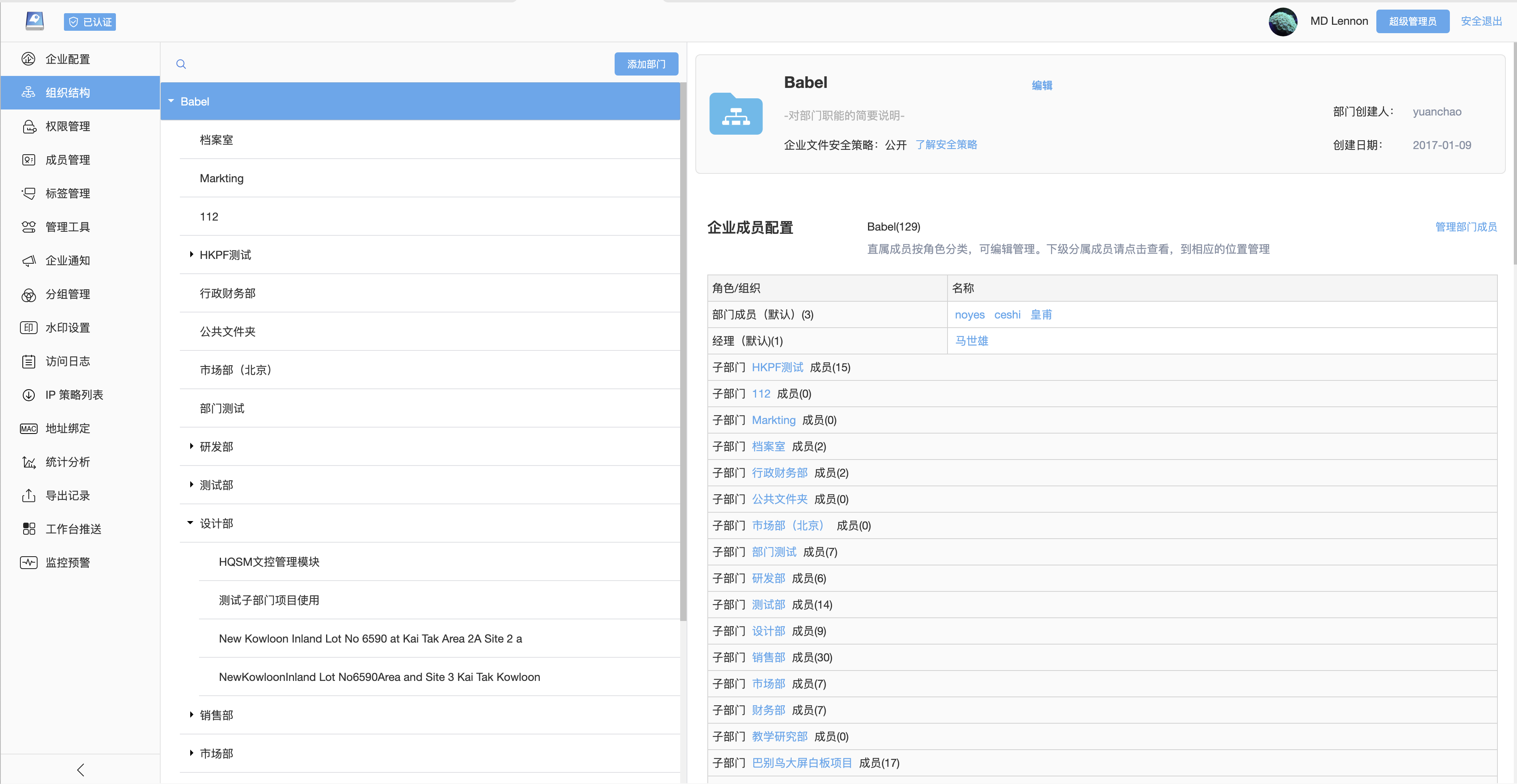
Departments are the core organizational units for enterprise file management in BabelBird. They are also important boundaries for permissions, storage quota, logs, approval and security policy. Enterprises can mirror their real organization hierarchy and manage department files, members, administrators and security rules in one system.
Department Folders
The enterprise file root usually shows the departments a user belongs to or is allowed to access. Files inside a department folder are maintained by department members. Whether a member can view, upload, download, edit, delete, share or manage files depends on that member's role in the department.
Department folders are suitable for:
- Department policies, templates, common resources and training materials.
- Department project data, customer files, contracts and process documents.
- Files that should be shared by the department rather than stored in personal space.
- Files managed by a department manager or document administrator.
Department Administrators
A department administrator is not just a global administrator. The key idea is delegated management: in large organizations, super administrators maintain the organization and base rules, while department administrators manage members, sharing, recycle bin, approval flows, file statistics and access logs for their own departments.
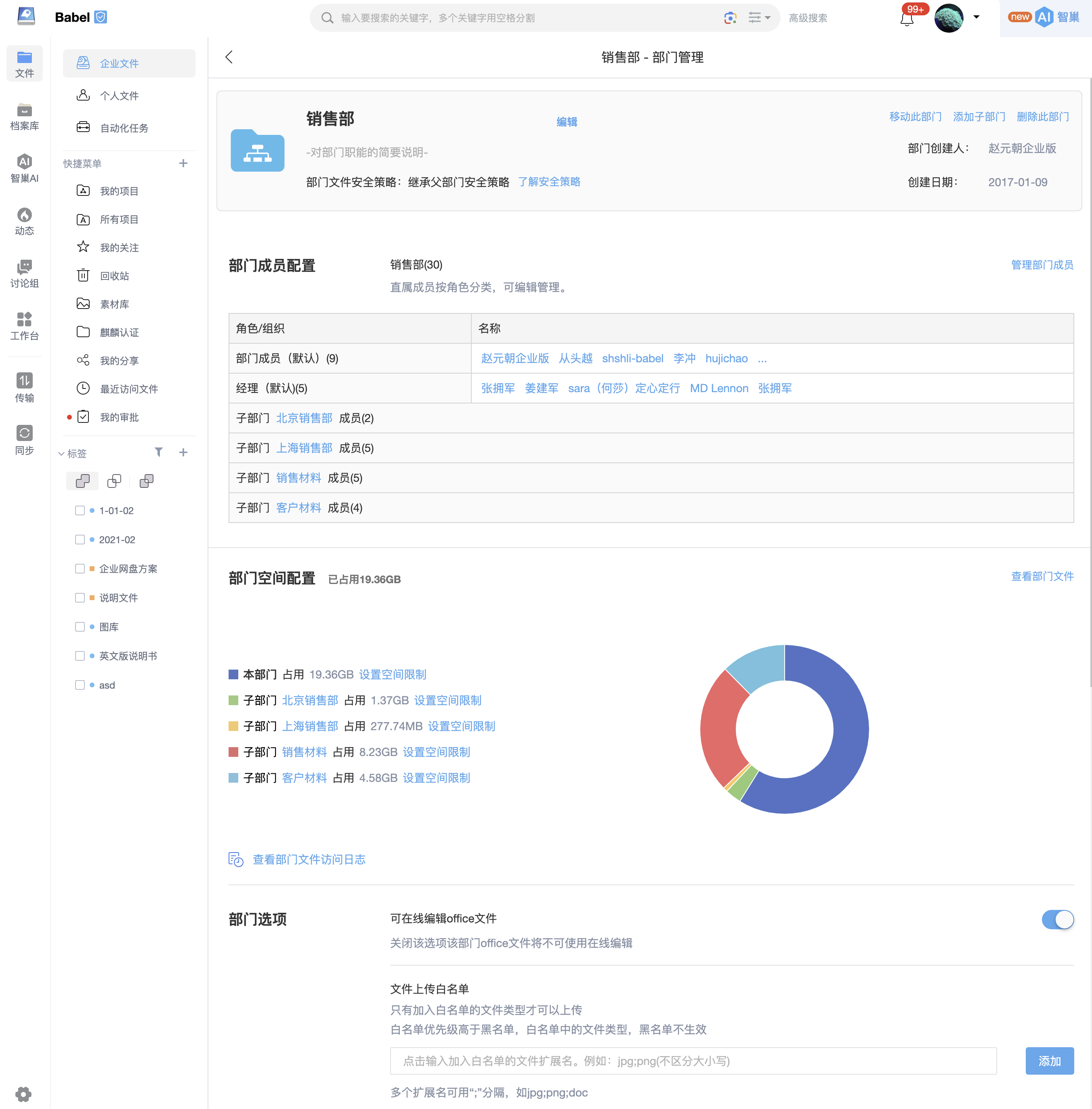
Typical capabilities include:
- Add, remove or batch import department members.
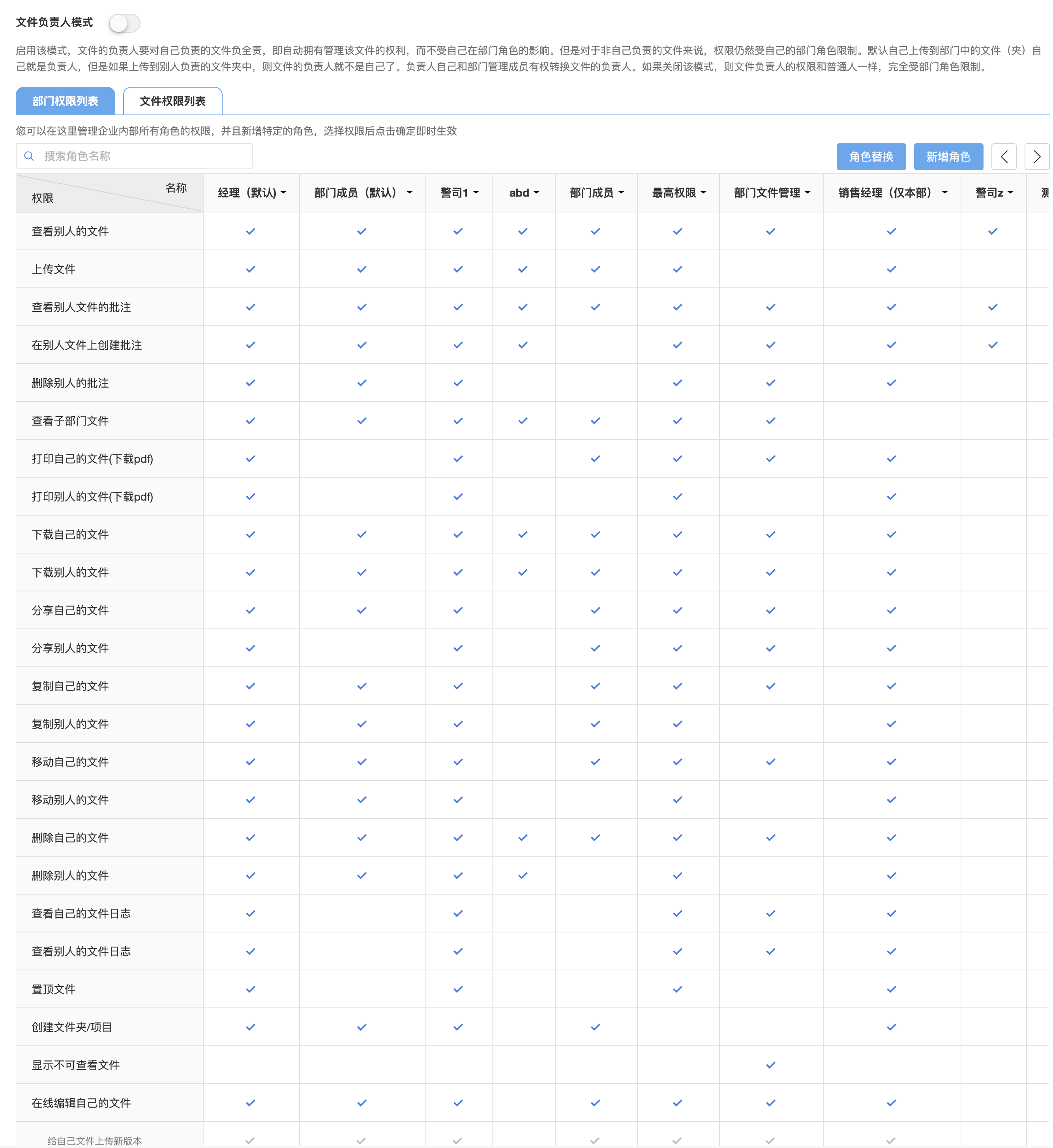
- Assign department roles and inspect the permissions included in each role.
- Manage department quota, department files and subfolders.
- View shared file statistics, access statistics and member usage.
- Configure default approval flows or department security policies.
- Manage sub-departments or delegate part of the management scope where permitted.
Departments can be managed independently. A role with department file management permission can manage that department's files, folders, file permissions, quota and file-related statistics. A role with department member management permission can maintain members, roles and membership in that department. These two scopes can be granted to the same department owner or split across document administrators, HR administrators and business owners, so day-to-day administration does not have to stay with super administrators.
Multiple Departments And Sub-Departments
A user can belong to multiple departments and have different roles in each one. For example, the same person can be a regular member in R&D and a department administrator in a project management office. Sub-departments follow the organization hierarchy, while actual file access is still determined by roles, department policy and file access control.
Organization Sync And Single Sign-On
When an enterprise already has a unified identity, address book or OA system, BabelBird can connect to third-party systems to synchronize organization structure and personnel information. Common sources include AD domain, WeCom, DingTalk, Feishu, Seeyon OA and single sign-on systems that support OAuth 2.0.
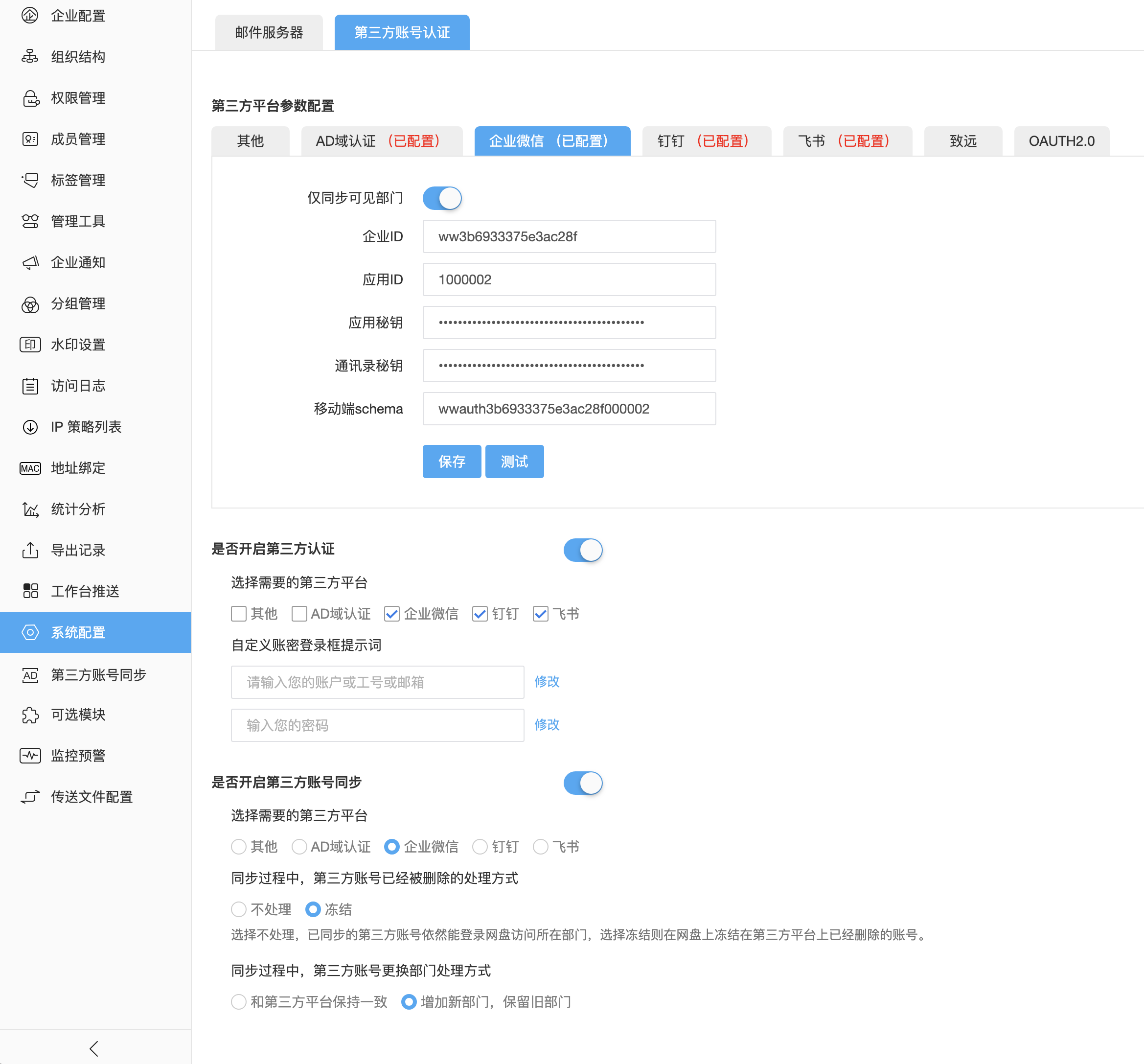
Typical integration boundaries include:
| Configuration | Description |
|---|---|
| Unique account identifier | Confirm whether mobile number, email, employee ID, OpenID or a third-party user ID is the authoritative unique key |
| Department source | Use one authoritative source for organization sync whenever possible to avoid conflicting department hierarchy updates |
| Login method | Enable password login, LDAP/AD, WeCom, DingTalk, Feishu or OAuth 2.0 SSO according to enterprise policy |
| Member status | Define how disabled, resigned or removed third-party users should be disabled, removed or retained in BabelBird |
| Permission mapping | Department sync only establishes organization membership; file permissions are still controlled by department roles, project roles and file access control |
Difference From Projects
Departments usually represent stable organizational structures. Projects are better for cross-department, cross-company or temporary collaboration. When people from multiple departments need to work together, use Project Collaboration instead of adding everyone to the same department.
Security And Audit
Department files should be combined with role permissions, file access control, watermark, confidentiality level, IP policy, access logs and approval flows. For sensitive departments such as HR, finance, R&D and customer data, avoid relying only on folder names; configure roles, department administrators and security policies explicitly.